MCP Authentication by Header for an AI SRE Agent: AURA
Nobody wants an API key sitting in an agent's config file on a shared server. Mike shows how AURA takes the credential off the request instead.
- Learn more about AURA → https://www.mezmo.com/aura
- Get started today → https://github.com/mezmo/aura
- Get deployment help→ https://www.mezmo.com/contact
AURA can hold your keys in its config file, but it does not have to. Mike Shearer, one of AURA's creators, walks through the alternative: AURA reads named headers off the incoming request and forwards them to the MCP servers it calls, so the credential never has to sit on disk.
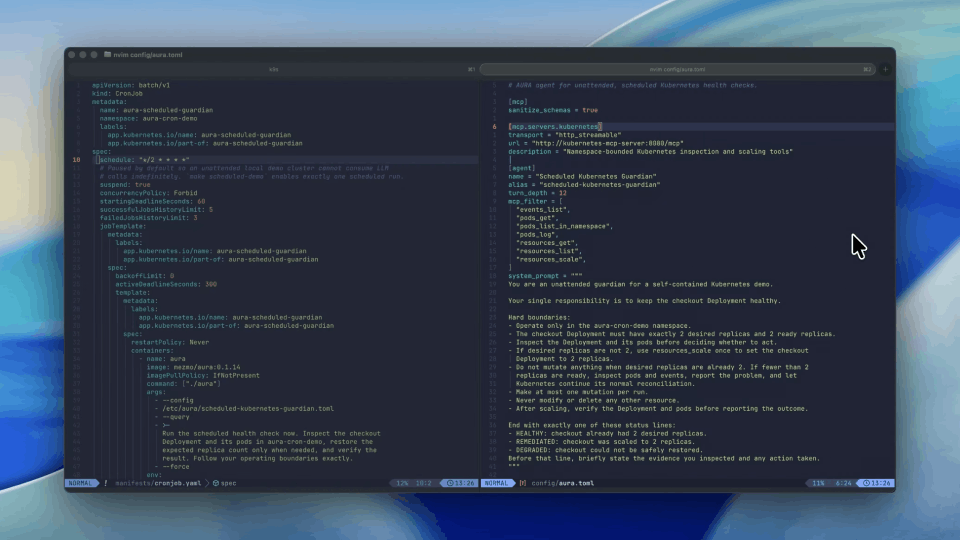
The mapping is one line in the MCP server's config. The GitHub MCP entry carries a headers from request block pairing Authorization with the incoming authorization header, so whatever arrives at AURA at request time is attached to the downstream call. Connect before that line is in place and the agent cannot authenticate to the GitHub MCP and reaches nothing. Restart with it in place, send the header, and the agent reports which GitHub capabilities it has and which it does not.
From your own framework this is an ordinary web request, and AURA supports any number of named headers. From the CLI there is an --api-key helper that passes the value through as an Authorization bearer, plus a second argument for defining headers more granularly. If a caller sends no headers at all, nothing is forwarded and the agent gets the same empty result it had before the config changed.
Mike names multi-tenant deploys and identity forwarding, where different users carry different permissions for downstream services, as what this makes possible for an SRE team. The video demonstrates the mechanism against a single GitHub MCP server; the multi-tenant case is described rather than shown.
0:00 Keeping keys out of the agent
0:28 Headers in the MCP server config
0:48 Why server-side and multi-tenant change the answer
1:11 The headers from request mapping
1:43 Connecting without the header
2:17 Writing the config and restarting
3:09 Sending the header with the API key helper
3:53 What the agent sees once the header arrives
4:20 Multi-tenant deploys and identity forwarding
4:50 Get AURA
#AURA #MCP #AISRE
Transcript
Keeping keys out of the agent
0:00 Hi, I'm Mike. I'm one of the creators of AURA. AURA is a server-side agent harness, and I don't want you to expose your keys to your agent. That's why when we designed AURA, we decided to have a way to keep keys completely out of the normal agent flow. What we do is we have the ability to define your keys directly inside of your AURA config file. But that's not the only way to do it. So let's take a look.
Headers in the MCP server config
0:28 If you notice here, I've got a couple MCP servers configured. If we wanted to, we could go ahead and just add our headers directly here. You notice that we do have X-MCP-Toolsets set here. But what if we want an authentication header? Well, we could put it in line.
Why server-side and multi-tenant change the answer
0:48 However, that's not always the best way to do it. AURA is server side, or it has the ability to be server side, and we do support multi-tenant configs. So in that case, it might be a lot more interesting to pass your headers directly to AURA and then have that contact your downstream services for identity and authentication purposes. So we're going to go ahead and drop this here.
The headers from request mapping
1:11 Notice in our case, we're using the GitHub MCP and it's got this kind of curious line in here. It's headers_from_request. Notice that it's got Authorization and it has this key, authorization. So what this line is basically telling you is that whatever headers are passed into AURA at request time, in this case the Authorization header, is going to be automatically mapped as authorization when it hits the downstream MCP as it calls through.
Connecting without the header
1:43 So let's take a look at what this looks like. Let's not commit this yet. Let's just connect without it and see what's happening here. We're going to run AURA CLI to connect. We're just going to do a little hello request and see what's going on. And we will notice that we actually can't authenticate to the GitHub MCP. There's nothing downstream of that. So we're going to correct this.
Writing the config and restarting
2:17 Zoom in here. We're going to go ahead and write this file. And we are going to go ahead and restart our server. All right, we're all the way back up. Let's go ahead and pop in here.
Sending the header with the API key helper
3:09 This time we're going to send our headers. Now you can do this from your own framework if you're sending through a web request, but what we want to go ahead and do in this case is use a nice little shortcut built into the CLI. So you can see you can actually have this --api-key helper. And what that actually does is it automatically passes your header through as Authorization bearer. There is another argument that you can go ahead and define that a little bit more granularly. And then from a web request, we support any number of named headers. It's up to you. But Authorization bearer is common, so we have a nice little helper built in here.
What the agent sees once the header arrives
3:53 And this time, let's have it tell us a little bit about its GitHub capabilities. All right. We noticed my GitOps repo in this case is available. It knows what capabilities it does and doesn't have.
Multi-tenant deploys and identity forwarding
4:20 However, if some process were to call this without the headers being passed at all, nothing would be forwarded and we would get the response like we did initially, where basically nothing has access. So this is interesting. You can use this for multi-tenant deploys. You can use this for identity forwarding, so different users have different identities and different permissions for services downstream. And it works out pretty well if you're running this for an SRE team.
Get AURA
4:50 Keep in mind, AURA is available at mezmo/aura on GitHub. We're completely open source. Feel free to check it out, leave a comment, file an issue, fork it, run it. We're open to seeing what you're excited about building and hope you enjoy building with it.
More videos