AURA in practice: real-world use cases for production AI agent infrastructure
How platform and SRE teams are using Mezmo's open-core agent framework — with any LLM, any tools, any observability backend.
By the Mezmo Engineering Team • March 2026 • 8 min read
When we open-sourced AURA under the Apache 2.0 license, we made a deliberate choice: the agent infrastructure that powers Mezmo's own agentic SRE capabilities should be available to every team building production AI workflows. Not a stripped-down SDK. Not a managed-only service. The same framework we run internally, released as an open-core project where Mezmo is the primary contributor and steward.
AURA (now available at https://github.com/mezmo/aura) is a production-ready framework for composing AI agents from declarative TOML configuration. It is built in Rust, with MCP tool integration, vector search, and an OpenAI-compatible streaming API. It is intentionally agnostic: you choose your LLM provider, you connect your tools through MCP, and your telemetry goes wherever you send it via OpenTelemetry.
This post walks through concrete use cases where AURA is already delivering value. Each scenario includes the architectural pattern, the relevant AURA configuration, and the operational outcome so you can evaluate whether this fits your own stack.
Use case 1: Drop-in AI agent for existing chat UIs
Your team has already standardized on a chat interface like LibreChat, OpenWebUI, or a custom frontend that speaks the OpenAI protocol. You want to add an AI agent that can call operational tools (query logs, check dashboards, pull runbooks), but you don't want to rewrite your frontend or build custom API integrations.
With AURA
AURA exposes a fully OpenAI-compatible /v1/chat/completions endpoint with streaming SSE support. Point your existing frontend at AURA's address and it works immediately, with no protocol translation and no adapter code. Behind that endpoint, AURA routes requests to whichever LLM provider you've configured (OpenAI, Anthropic, Bedrock, Gemini, or Ollama for local models) and dynamically discovers MCP tools at runtime.
Beyond tool connectivity, AURA also provides native vector search support for incorporating company knowledge bases and runbooks directly into your agent's context. Vector stores are configured in your TOML alongside everything else, with Qdrant as the currently supported external provider. This means your chat agent doesn't just call tools — it can query your team's operational documentation to ground its responses in institutional knowledge.
Configuration snapshot
.avif)
The key here is that AURA plugs into your existing ecosystem rather than replacing it. Your team keeps the chat UI they already know. And while AURA does take over the MCP tool layer, that's intentional: instead of managing tool connections scattered across individual agents, you configure them once in AURA and every agent benefits. Mezmo, PagerDuty, your own internal services are all registered in one place, with one schema, and AURA handles the orchestration, translation, and vector search from there.
Any service your agent needs to interact with must expose an MCP endpoint. AURA connects to tools through MCP — that is the integration contract. If a tool has an MCP server, AURA can discover and invoke it. If it doesn't, that's the piece you'd need to build or find.
Use case 2: Runbook-grounded incident response agent
When an incident fires at 3 AM, the on-call engineer doesn't need a chatbot that guesses. They need an agent that references the team's actual runbooks, understands the service topology, and provides grounded recommendations rather than hallucinated ones.
With AURA
AURA's vector search is ready to go out of the box. We intentionally moved away from traditional RAG (where retrieved chunks are injected into the context window upfront) in favor of a query-based approach. The agent queries vector stores on demand during a conversation, pulling in only the information relevant to the current question. This avoids pre-polluting the context window with documents that may not be relevant, which in our experience hurt more than it helped outside of pure knowledge base scenarios.
Currently, Qdrant is the supported external vector store. You configure your collections directly in TOML, and each collection gets a context_prefix that gives the LLM a concise description of what the collection contains and when to search it. Think of it as a label — something like "Mezmo Operations Manual" or "Payment Service Architecture" — that tells the model which knowledge base is relevant for a given question.
Configuration snapshot
.avif)
The query-based approach keeps the agent's context window clean. Instead of stuffing every potentially relevant document into the prompt before the conversation starts, the agent searches the vector store as needed and pulls in targeted results. When the agent tells your on-call engineer to restart a specific service, the engineer can see that the recommendation was informed by the collection labeled "Company incident response runbooks" rather than by the model's general training data. This is the difference between an agent your team trusts and one they ignore.
Use case 3: Flexible LLM provider selection
Different teams, different use cases, and different cost profiles call for different models. Maybe your incident response agents need a frontier model on Anthropic, but your log summarization workflow runs fine on a local open-source model. Or maybe you want to run the same model through AWS Bedrock instead of directly through the provider for compliance reasons. You need the flexibility to make these choices in configuration, not in code.
With AURA
AURA supports five LLM providers out of the box: OpenAI, Anthropic, AWS Bedrock, Google Gemini, and Ollama. Changing providers is a configuration change, not a code change. That said, it's worth being honest about what "configuration change" means in practice. Swapping from Anthropic direct to Anthropic via Bedrock is genuinely straightforward since you're running the same model family. Switching between fundamentally different model families (say, from Claude to Gemini) will often require prompt adjustments as well, because models don't all respond to the same prompting patterns in the same way.
Where this flexibility really shines is with models available across multiple providers. Claude models, for example, can be accessed through both Anthropic's API and AWS Bedrock. AURA lets you make that routing decision in config based on your compliance, latency, or cost requirements — without touching any application logic.
Because AURA automatically sanitizes MCP tool schemas to conform to each provider's function-calling requirements (handling quirks like anyOf wrappers, missing types, and optional parameter formats), your tool integrations remain stable across provider changes. The schema translation happens at discovery time, so the tools themselves don't need to know which LLM is on the other end.
Open-source model support
We actively test AURA against leading open-source models using platforms like Ollama (via the Ollama provider) and llama.cpp (via the OpenAI provider). Local quantized models can sometimes emit malformed structured outputs, which breaks tool-calling workflows. AURA includes fallback tool-call parsing that works around these known issues so open-source models remain viable in production.
Use case 4: Authorization delegation to downstream tools
Your agent calls MCP tools that require authentication, and the credentials need to come from the original user's request — not from a hardcoded service account. Different users should only be able to access what their own tokens authorize. You need the auth context to flow through AURA and into the downstream tool calls cleanly.
With AURA
AURA's headers_from_request configuration forwards incoming HTTP headers to downstream MCP servers on a per-request basis. This means the authentication token from the original user request flows through to every tool call, enabling per-tenant isolation without any custom middleware.
Configuration snapshot
.avif)
The mapping is explicit: each key is the header name from the inbound request, and each value is the header name to send to the MCP server. In the example above, both Authorization and X-Tenant-ID headers are propagated to the MCP server, which can then enforce access control per customer.
This keeps AURA stateless. It doesn't manage sessions, store tokens, or make authorization decisions. It routes the caller's credentials to the tools and lets each service enforce its own policies. For platform teams operating AURA as shared infrastructure, this is the cleanest pattern: the agent layer handles orchestration, and auth stays with the services that own the data.
Use case 5: Understand what your agent is doing and why
You're running AI in production and struggling to understand why it behaves a certain way. Standard application tracing tells you that an HTTP request took 4 seconds, but it doesn't tell you which tools the agent called, what context was retrieved from the vector store, how long the LLM took to respond, or what reasoning led to the final output.
With AURA
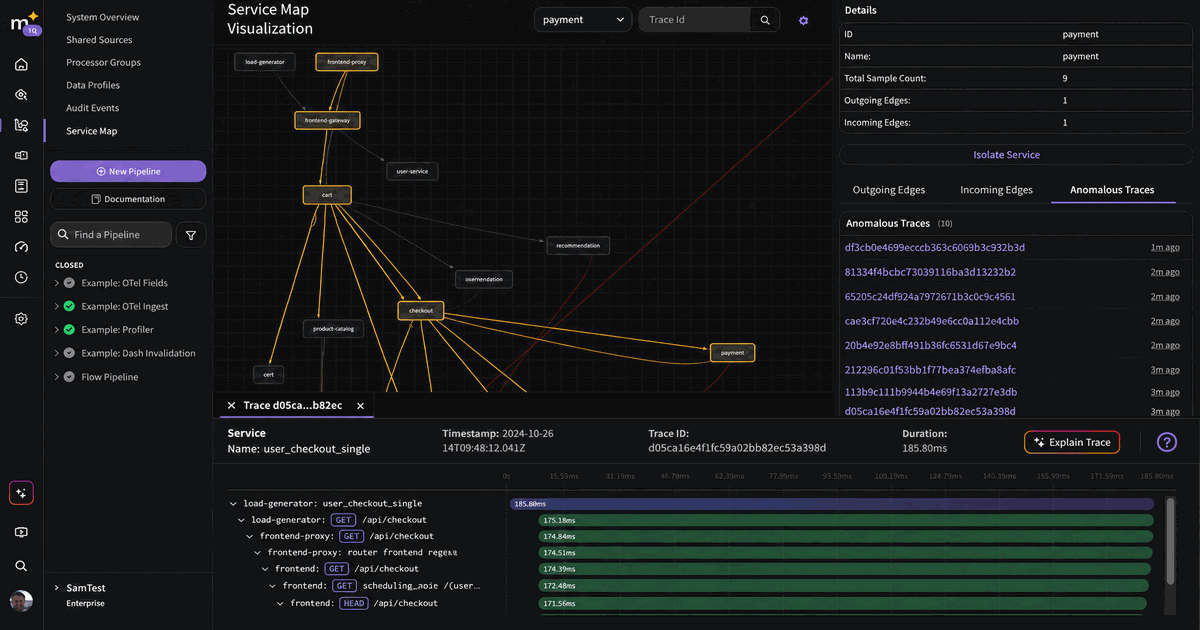
AURA ships with OpenTelemetry support enabled by default, and we chose the OpenInference semantic conventions (llm.*, tool.*, input.*, output.*) for our span attributes. We went with OpenInference because it was purpose-built for AI observability. It captures the semantics that matter for debugging agent behavior: LLM invocations, tool calls, retrieval operations, and the relationships between them.
This means AURA traces are natively compatible with Arize Phoenix and any other OpenInference-aware observability tool — but they also export cleanly to any OTLP-compatible backend. Set your OTEL_EXPORTER_OTLP_ENDPOINT environment variable and traces flow to Jaeger, Grafana Tempo, Datadog, Mezmo, or wherever your team already looks.
Backend agnostic: your AI observability data goes wherever your existing telemetry goes. No vendor lock-in on the tracing side either.
Use case 6: Embedding AURA's core in your own Rust application
You don't want a standalone HTTP server. You want to embed AI agent capabilities directly into your own Rust service, calling the agent builder programmatically, customizing the tool orchestration logic, and integrating at the library level.
With AURA
AURA is not a monolith. It's structured as three independent Rust crates with clear separation of concerns:
aura— The core agent builder library. Runtime agent composition, MCP integration, tool orchestration, and vector workflows. No config file dependencies.aura-config— Typed TOML parsing and validation. Can be extended to support JSON, YAML, or any other format.aura-web-server— The OpenAI-compatible REST/SSE serving layer. Use it as-is or replace it with your own HTTP layer.
If you only need the agent builder, depend on the aura crate directly. You get MCP tool discovery, schema sanitization, vector search, and multi-provider LLM support without pulling in any web server or config-file machinery.
Mezmo's open-core model: what it means in practice
AURA is not a side project or a marketing exercise. It is the agent infrastructure layer that powers Mezmo's own Agentic SRE product. The same codebase that runs in our production clusters is what ships on GitHub under the Apache 2.0 license.
What this means concretely:
- Mezmo is the primary contributor. We maintain the project, merge PRs, publish releases, and run the CI pipeline. The repo has a CLA, a code of conduct, and contributing guidelines because we take community participation seriously.
- Production-hardened by default. Features like graceful shutdown, streaming backpressure controls, request cancellation, and timeout configuration exist because Mezmo needs them in production. You get those same guarantees.
- No vendor lock-in by design. AURA doesn't require Mezmo as a backend. Use it with any compatible LLM provider, any MCP servers (over HTTP), and any OTLP-compatible observability platform. If you're already a Mezmo customer, AURA integrates natively with our telemetry pipeline and MCP server. If you're not, it integrates just as cleanly with whatever you do run.
- The roadmap is visible. Multi-agent orchestration is actively being developed on the
feature/orchestration-modebranch. It's in open alpha today, and issues and feature requests are welcome on GitHub.
Getting started
Access our quickstart guide here: https://github.com/mezmo/aura/tree/main/examples/quickstart
To build and run AURA locally:
- Clone the repo:
git clone https://github.com/mezmo/aura - Copy the reference config:
cp examples/reference.toml config.toml - Set your API key:
export OPENAI_API_KEY="your-key" - Build and run:
cargo run --bin aura-web-server - Or use Docker:
docker compose up --build
The examples/ directory includes minimal per-provider configurations and complete agent examples. The development/ directory has ready-to-go setups for LibreChat and OpenWebUI integration.
The foundation, not the ceiling
AURA is the infrastructure layer we wish we'd had when we started building AI into Mezmo's own platform. It handles the production engineering that usually kills AI projects after the demo: provider interoperability, schema sanitization, timeout and backpressure controls, observable tracing, and declarative configuration that lives in version control.
We're releasing it as open-core because we believe the orchestration layer between your data and your models should be something you own, inspect, and extend — not something you rent.
Explore the repo: https://github.com/mezmo/aura
Learn more about AURA: https://www.mezmo.com/aura
More blog posts