AI SRE Agent Behind the Scenes: Wiring AURA Into Slack
AURA runs as a standalone service and knows nothing about Slack. A separate bridge streams events off its API, which is what makes the chat tool swappable.
- Reference code for "aura-bridge" service: https://github.com/mezmo/aura-slack-pd-bridge-example
- Learn more about AURA → https://www.mezmo.com/aura
- Get started today → https://github.com/mezmo/aura
- Get deployment help→ https://www.mezmo.com/contact
This is the implementation behind the automated PagerDuty investigation demo. Jeff Vogt walks the whole path an incident takes: a Grafana alert fires PagerDuty, PagerDuty opens a Slack channel and sends a webhook, and a service called AURA Bridge picks it up and calls AURA's API with an investigation prompt.
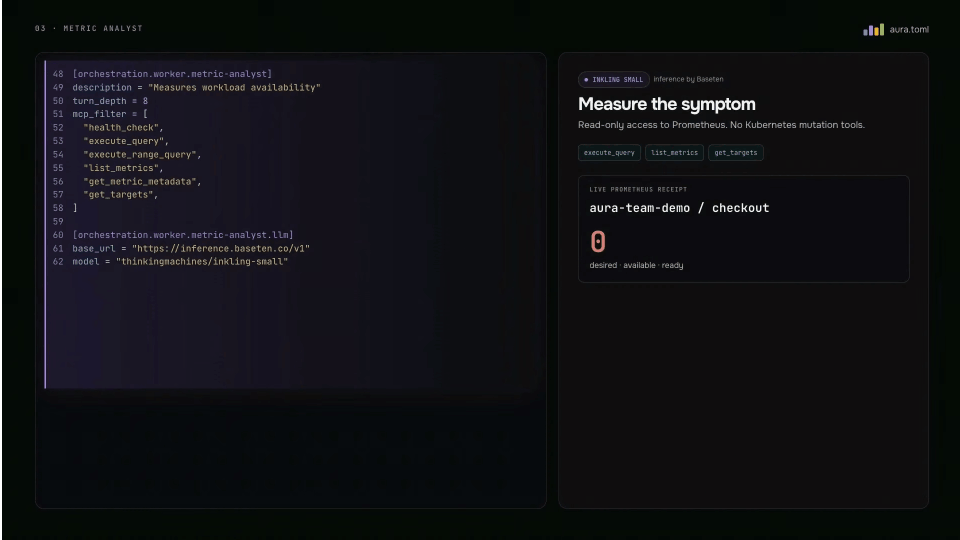
On the AURA side, the agent runs in the cluster from the Helm chart and its entire configuration lives in the chart values, so merging a change to that file is how the config gets updated. The Kubernetes and Grafana MCP servers are cluster-local and nothing leaves the cluster for them; GitHub and PagerDuty use hosted MCP servers with API tokens. Human-in-the-loop is configured against a list match of tool names, and anything matching waits for approval. Two worker prompts get a closer look: the incident responder resolves an alert down to the individual Grafana rule and reports the data source behind it without interpreting the query, and the metrics analyst enumerates metric and label names before concluding a metric is absent, which separates absent from zero.
The bridge itself runs in three phases. Phase one is fully automated, with status updates from the workers posting to Slack while the investigation runs. Phase two handles follow-up questions, either by mentioning AURA in the channel or replying in a thread, resuming the same investigation. Phase three handles approval requests, posting approve and deny buttons and routing the click back through a permission gate.
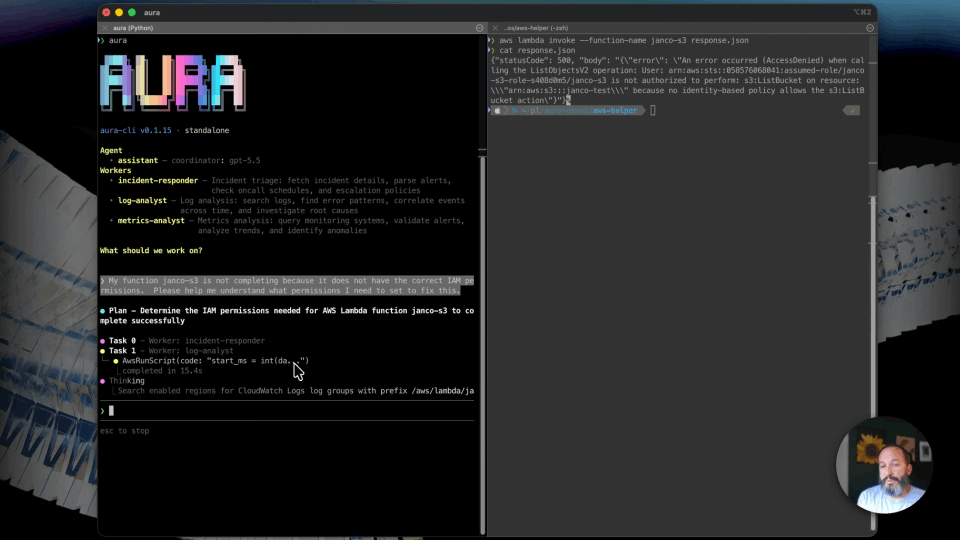
The bridge is an example project, not a product. It was built with Claude in about an hour and is on GitHub for reference. It is completely decoupled from AURA, which runs as a standalone service exposing an OpenAI-compatible completions endpoint on the cluster network, and the video proves the decoupling by skipping the bridge and using the AURA CLI directly inside the pod. Exposing that API to a wider SRE team, and the header forwarding that would let team members supply their own tokens, are described as available directions rather than shown. Temporal is named as somewhere to migrate if the bridge ever needed to be mission critical, and is not used here.
This video shows configuration and code rather than an investigation. AURA diagnoses nothing and changes nothing on camera.
0:00 The alert-to-Slack path
0:37 AURA in the cluster, config in Helm values
0:58 MCP servers and the human-in-the-loop tool list
1:29 Tuning individual worker prompts
2:24 The bridge, phase 1: automated investigation
3:10 Phase 2: follow-up questions in the channel
3:26 Phase 3: approvals in Slack
4:03 What the bridge actually is
4:37 Skipping the bridge with AURA's API and CLI
5:33 Inside the bridge source
6:25 When to reach for a workflow engine
7:01 Where to get it
#AURA #Slack #AISRE
Transcript
The alert-to-Slack path
0:00 Previously, I showcased an art of the possible demo of integrating AURA inside of an incident response pipeline to automatically provide root cause on new PagerDuty incidents. This is the behind-the-scenes on the automation, how the incident actually travels from a Grafana alert to an agent talking in a Slack channel.
The automation works like this. Grafana alerts PagerDuty, PagerDuty opens a Slack channel and fires a webhook, and that webhook lands on a service that I wrote called AURA Bridge, which sits between Slack and AURA's API.
AURA in the cluster, config in Helm values
0:37 So first, AURA itself. AURA runs in the cluster like any other workload. I'm using the Helm chart from our Git repo. The interesting part is that the entire agent configuration is right here in the values. Merging a change to this file is how we update AURA's config. I've copied this content to a separate file so we get syntax highlighting. It's just a little easier to look at.
MCP servers and the human-in-the-loop tool list
0:58 The Kubernetes and Grafana MCP servers are cluster-local, so we don't have to worry about DNS or ingress, nothing leaves the cluster. GitHub and PagerDuty use hosted MCPs with API tokens.
Human-in-the-loop is configured to a list match of tools. Anything on that list waits for an approval. Then the coordinator system prompt governs how it delegates work and how it finalizes its response.
Tuning individual worker prompts
1:29 Each worker has a name, a prompt, and a tool list. A couple of worker details that I added that I think really improve the investigation quality.
First, the incident responder. The instructions are to resolve each alert down to the individual Grafana rule, then report the data source behind it. But it's instructed not to interpret the query itself. The coordinator uses that type to route the follow-up to the metrics analyst or the log analyst. By breaking up work into small discrete tasks, it keeps the context window manageable, and it ensures the coordinator stays in control.
If you look at the metrics analyst, we tell it to enumerate metric and label names before concluding that a metric is absent, and that helps distinguish absent from zero. This is a great example of how to fine-tune one specific worker without affecting the rest of the workflow.
The bridge, phase 1: automated investigation
2:24 Next, let's look at the bridge that I wrote which connects AURA and Slack and enables the automated investigations that we looked at in the demo.
Phase one is fully automated. A new Grafana alert triggers a PagerDuty incident. The PagerDuty workflow does two things. Number one, it creates the incident channel in Slack. And number two, it sends a webhook to the bridge with the incident details and the channel ID that it just created.
The bridge takes ownership from there. It calls AURA's API with an investigation prompt that includes the incident details. It joins the channel, and it posts as AURA. While the investigation runs, status updates from the workers are delivered to Slack, and when the coordinator finishes, the full answer posts to the channel.
Phase 2: follow-up questions in the channel
3:10 Phase two covers follow-up questions to the incident. You can either at mention AURA in the incident channel, or reply to messages in a thread. Slack pushes the message to the bridge over the existing socket, and the bridge resumes the same investigation with your question.
Phase 3: approvals in Slack
3:26 Phase 3 shows how I handle when AURA requests human-in-the-loop approval. AURA has a special event for this which the bridge has logic for. The bridge posts an approval message with approve and deny buttons. The click from Slack comes back over the same socket and it's routed through a permission gate which could be used to ensure only authorized users can approve or deny the human-in-the-loop request.
This was a fun project to show the art of the possible. And I still recommend if you're just going to get started with AURA, just Homebrew install it, connect some MCPs, ask questions, and iterate from there.
What the bridge actually is
4:03 This type of experimentation is so accessible these days. I built everything you see here with Claude. It only took me about an hour, and when I was done I just had a pretty simple service with one inbound webhook only exposed to PagerDuty with proper signature verification, one Slack connection using Socket Mode, it's bi-directional, and then one HTTP client that just pointed at the AURA API.
AURA runs as a standalone service, as it should, and all we needed was the OpenAI compatible completions endpoint available on the local cluster network.
Skipping the bridge with AURA's API and CLI
4:37 The bridge is completely decoupled from AURA, it just streams events off that API. I can actually prove this by skipping the bridge entirely. I can kubectl exec into the pod and use the CLI just like it's running on my laptop, but the config is now managed in source control and my MCP API tokens are secure and centrally managed through Kubernetes.
We could also expose AURA's API internally to the rest of the SRE team who would just use AURA CLI from a binary on their system and then connect to the remote API. There's even advanced use cases using header forwarding where the team members would provide their personal API tokens through the AURA CLI which are forwarded to the API server and then to the various MCP servers. This is great for auditability and access control.
A lot of thought went into not just the harness and how to make AURA work well for complex SRE use cases, but also how to use it collaboratively at scale.
Inside the bridge source
5:33 Before we wrap, let's look at the actual source code of the bridge. There's a couple things in the code worth seeing.
First, the prompt, which is part of the main engine. This is how we kick AURA off with the initial investigation. The responses from AURA are streamed, and most of the codebase is then related to queues, Slack formatting, and state.
The second part that I want to show is how we update the individual task status in the Slack message. AURA's stream gets decoded into events, which are tracked and transformed at the presentation layer. This decoupling of AURA and Slack makes it easy to do things later on, like switch to Teams in the future. God help you.
When to reach for a workflow engine
6:25 Now, this bridge was rapidly built with AI, but it takes the same shape of a workflow engine. It works great for the demo use case, and I'm sure with a few rough edges cleaned up it would actually be pretty useful as a long-lived service. But if it ever evolved into something that needed to be more mission critical, there's platforms out there like Temporal, for example, which you could migrate to for more durability.
But I always preach iterative design, especially now that AI makes building prototypes so easy. So I always say use what works until you need more.
Where to get it
7:01 I'm gonna wrap here. I put this bridge project up on GitHub for reference. It works, you could use it, fork it, but it's mainly intended as an example. The main AURA repo and quickstart docs should be linked below, but if not, easy enough to find mezmo/aura.
And if you haven't tried it yet, you totally should. Brew, install, connect an MCP, ask questions about your environment, and give us some feedback. Thank you so much.
More videos