AI SRE Agent Debugs a Lambda Timeout via AWS MCP Server
A scheduled Lambda quietly stops completing and nothing pages you. AURA finds the function, reads its logs, and comes back with a three-second timeout.
- Learn more about AURA → https://www.mezmo.com/aura
- Get started today → https://github.com/mezmo/aura
- Get deployment help→ https://www.mezmo.com/contact
The usual path is opening the console, tracking down the right log group, and reading CloudWatch by hand. Here AURA connects to AWS through the MCP proxy AWS publishes, run locally with uvx against an AWS CLI that is already configured, so there are no new credentials to issue.
From there it makes the connections itself: it recognizes the function as a Lambda, finds the CloudWatch logs available to it, and queries them. It names the timeout as the cause and verifies that against the log output, then hands back recommended remediation steps rather than applying them. It also checks whether a service-wide Lambda outage would explain the failure, and confirms that it would not.
AURA is built for SREs and cloud engineers who need a cause for a failing serverless function without leaving the terminal.
Chapters
0:00 Debugging a scheduled Lambda that stopped completing
0:12 Connecting through AWS's MCP proxy and the AWS CLI
0:33 Adding the proxy as an MCP server with uvx
1:02 Starting AURA and handing it the function
1:30 AURA finds the Lambda and queries its CloudWatch logs
2:09 A three-second timeout, verified in the logs
2:30 Ruling out a service-wide Lambda outage and recommending fixes
#AWSLambda #AISREAgent #Serverless
Transcript
Debugging a scheduled Lambda that stopped completing
0:00 Hi, I'm Greg. I'm an engineering manager here at Mezmo, and today I'm going to use AURA to debug a scheduled Lambda function that has not been recently running.
Connecting through AWS's MCP proxy and the AWS CLI
0:12 To do this, I'm going to be using AWS's MCP proxy. That is their prescribed way to interact with their MCP or their CLI. So to that end, I've already downloaded and configured the AWS CLI and connected with my proper credentials.
Adding the proxy as an MCP server with uvx
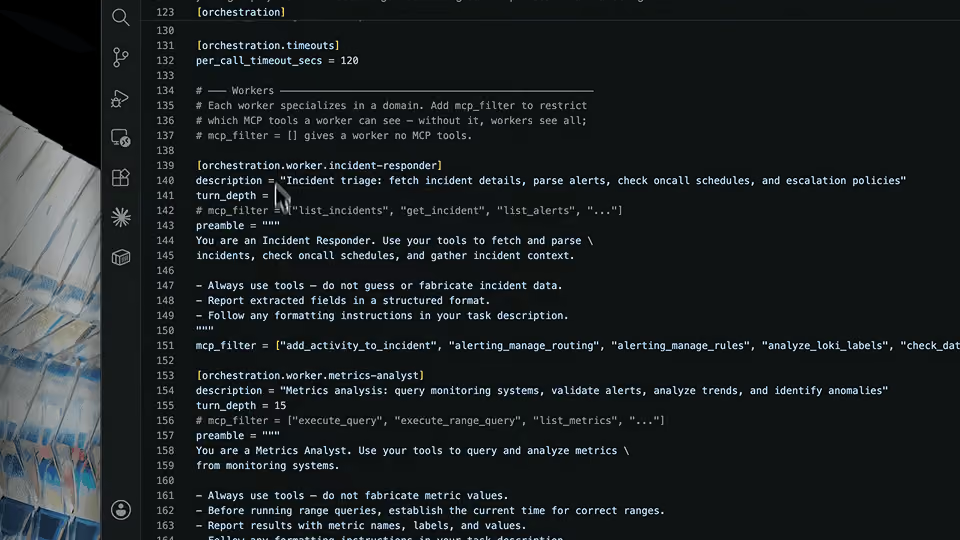
0:33 From there, I ran aura init and mcp add and filled in the details as prescribed by AWS, which includes using uvx to run this local proxy, which will connect me to AWS CLI and therefore perform the necessary steps to figure out what's going on with this function.
Starting AURA and handing it the function
1:02 So I've done all that, and I'm going to go ahead and start AURA.
AURA finds the Lambda and queries its CloudWatch logs
1:30 So now it's using the CLI to query the Lambda functions. It's making all the connections itself. It knows that it's a Lambda function. It's going to inspect that Lambda function and find out what CloudWatch logs it can find, and query over them to see what the problem is and use AURA to help me solve that.
A three-second timeout, verified in the logs
2:09 So as you can see here, AURA discovered that my Lambda function is not actually completing successfully. It is running into a three-second timeout. It further was able to verify that through the logs.
Ruling out a service-wide Lambda outage and recommending fixes
2:30 And also it was able to take a look at universal Lambda outages and see if there were any related, just to see if that was a problem, and it confirmed that it was not. And then it makes some remediation steps and some recommended actions to try and solve this problem. I hope this helps and good luck. Thanks.
More videos