From Log Line to Merged Fix: AI SRE Agent with GitHub MCP
Knowing why it broke is not the same as having it repaired. Point the agent at the repos behind the service and the change comes back as a pull request.
- Learn more about AURA → https://www.mezmo.com/aura
- Get started today → https://github.com/mezmo/aura
- Get deployment help→ https://www.mezmo.com/contact
A Govee integration crash-loops under Home Assistant because the container cannot write to a directory it does not own. That much was already established: the previous homelab video stopped at the root cause on purpose, so the next pass could improve the agent's configuration first.
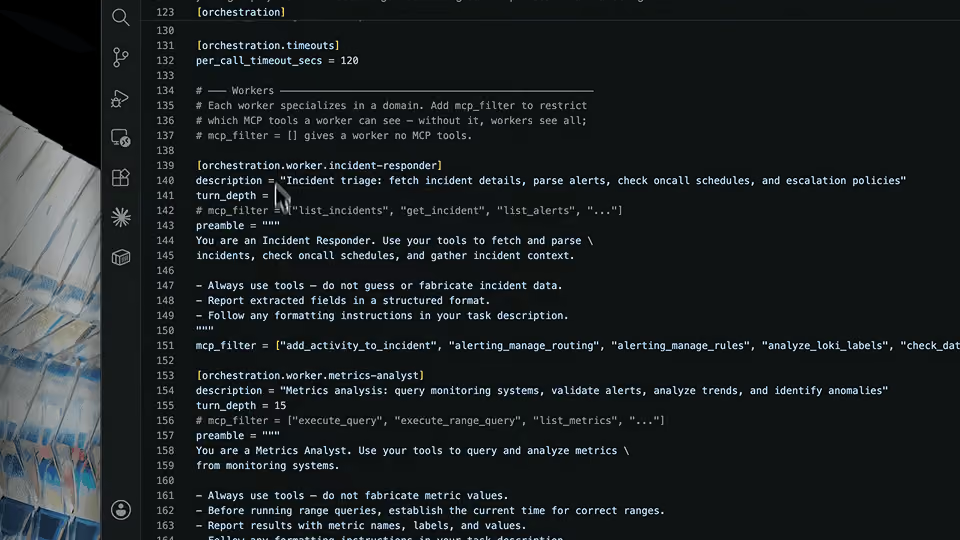
Three changes go into that config. An environment section tells AURA up front that this is a homelab running Docker Compose, along with where observability data lands, which cuts the discovery work it would otherwise spend tokens on. The GitHub MCP server is added with a personal access token scoped to read access across the organization's repositories, plus administration read so the tools can discover what is there. Each worker then gets an explicit, reduced list of MCP tools rather than the full set, with the Grafana log and metrics tools split across the workers that need them.
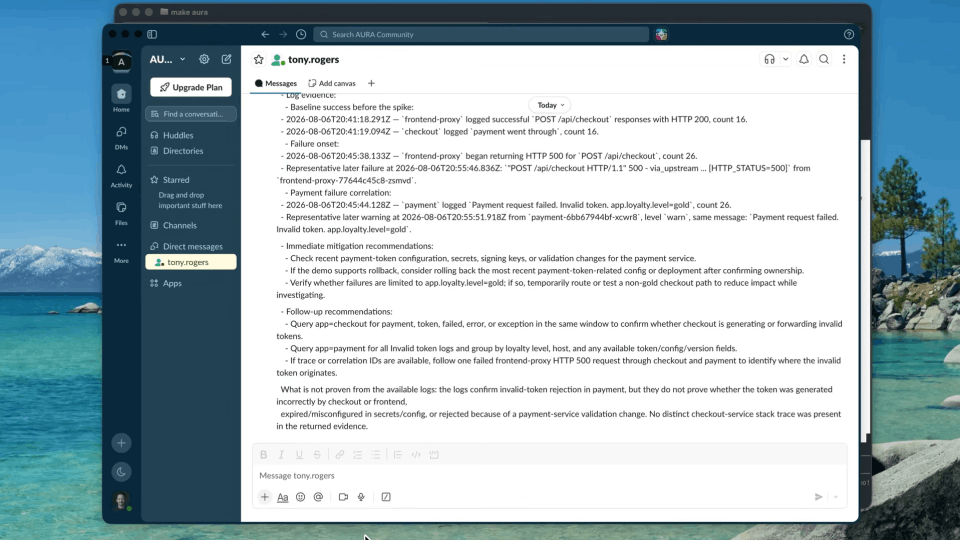
Given the same prompt, AURA reaches the same root cause. With the repositories in scope it goes further: it finds the Compose file behind Home Assistant and the Govee bridge, follows it to the user the container is declared to run as, and identifies the mismatch against the host directory. It does not reach the public repository on its own, and the video shows the follow-up prompt rather than editing around it.
The recommendation is to stop depending on host file system ownership and convert the bind mount to a Docker named volume. AURA does not write that change. It files a GitHub issue behind an approval gate, documented with the problem, the root cause, and the proposed fixes, and Claude opens the pull request from it. The diff is reviewed and merged by hand. AURA then re-runs the original check and confirms the change is merged and the service is healthy, without anyone logging into the host.
AURA is built for SREs and homelab operators who want an agent that reads the code behind the services it investigates and produces something a repository can act on.
Chapters
0:00 Where the last investigation left off
0:44 Adding repository access to the config
2:15 The GitHub MCP server and its token scopes
2:52 A GitHub analyst worker with a reduced tool list
3:27 An approval gate on issue creation
3:39 Splitting the Grafana tools across workers
4:02 The same prompt, the same root cause
5:17 A deeper dive with the repositories in scope
7:04 The declared container user and the UID mismatch
8:11 Writing the issue instead of the code
9:52 Claude opens the pull request
10:33 Reviewing the diff and merging
10:52 Checking the container on the host
11:37 Asking AURA to verify the fix
#AISREAgent #GitHubMCP #Homelab
Transcript
Where the last investigation left off
0:00 All right, welcome back. Where we left off is we were using AURA to get a root cause on an issue with some of my Govee lights that are no longer working through Home Assistant. Because AURA could only look at logs, it asked us to do a lot of manual investigation steps on the server.
0:23 In the end, with a little bit of back and forth, we confirmed the issue. I had a few options to resolve it, but I elected not to do anything, so we can improve our AURA configuration and work through solving this with a little bit better automation.
Adding repository access to the config
0:44 So today we're going to give AURA read access to the repo and see how much better the investigation goes. I made some modifications to the config file that we saw in the previous videos.
0:56 What I'm really trying to demonstrate here is the iterative journey that you would expect to have as you start to get more use of these tools within your environment. In my personal opinion you should be able to get incremental improvements in a matter of minutes, versus days, weeks, and months.
1:21 My initial goal was to add GitHub MCP to this configuration file, but at the same time I said there are probably ways to optimize the token usage as AURA goes and does its investigations. So something I've added here is a section about my environment. This just sets the stage when AURA starts up to understand that this is a homelab environment, everything's Docker Compose, and then, because I added the GitHub MCP, I've given it information about the organization and a little bit more information about how we get observability data into the different tools that I have.
2:05 That was a big section that I added, and then basically everything else is pretty much the same. I'll post this along with the video and note any other differences.
The GitHub MCP server and its token scopes
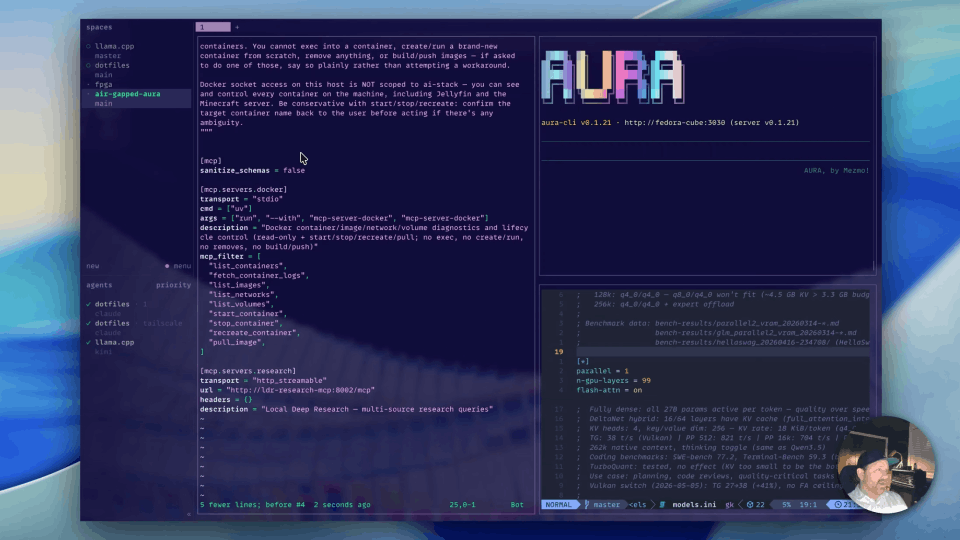
2:15 You can see here I've added my GitHub MCP server, and it's hosted by GitHub, so it's super easy to add. All you need is a personal access token, and in my case I just gave it read access to all repos in my org.
2:36 You need administration read as well on GitHub, on the org itself, so the MCP tools can actually go and discover the repos in the org.
A github-analyst worker with a reduced tool list
2:52 The last thing I added here is a github-analyst worker. I gave it some instructions, and then this is actually really important as well: I've reduced the list of MCP tools that are available to each worker, and I've also assigned tools to each worker.
3:14 That really does a lot to reduce some of the overhead as AURA figures out what it can and can't do, so we're just being more explicit. Here's all the read-only tools, except for issues.
An approval gate on issue creation
3:27 Then down here, because I'll be creating an issue at the end of this, I've added a human in the loop gate, and we can come back and look at this at the end.
Splitting the Grafana tools across workers
3:39 You can see here on the other orchestration workers I've assigned the relevant Grafana tools to each worker. Anything involving logs is going to be in here under mcp_filter, and then anything involving the metrics is going to be here. There's a lot of common tools that are across both.
The same prompt, the same root cause
4:02 Let's look at how that improved the investigations. I'm going to give it the same prompt that we've been using: give me a root cause on why these lights no longer work with Home Assistant.
4:28 Now, I could have taken the information that we already knew from the previous investigations, short circuited this whole process, and gone right to generating an issue or a pull request to correct this issue. But I wanted to show what the difference is in having more context about the environment, as well as having access to GitHub to do additional queries into the environment around this issue.
5:05 We got the same root cause as we had before. It's that same crash loop because of a read-only file system.
A deeper dive with the repositories in scope
5:17 So now I'm just going to ask it to do a deeper dive, now that it has access to the repositories that control these services, and recommend a fix. What we'll hope to see here is that not only will it look at the repositories that are private, that are responsible for these services, but it should identify the Docker Compose file that not only runs Home Assistant but the govee2mqtt service.
5:48 Within that Compose file it should go and look at that public-facing repository, and hopefully what we'll see is that it identifies that there's a specific user called out that the container is supposed to run as. Because if you remember from the previous video, that was the issue we had: the volume mount on the host file system is a different user and group than the container is running as.
6:26 So in this case it didn't actually go and look at the public repo that runs this service. We could correct that by modifying our configuration to give it more agency to go and do deeper inspection at these other services. So instead, here's what I'm going to say.
The declared container user and the UID mismatch
7:04 So I'm kind of cheating a little bit, but this is something you'd eventually get to. I know it's in the Dockerfile. I could have actually just said, can you go look at that repo and see if there's anything that stands out that would be incompatible with what we're doing here.
7:18 It did this really quick. It did identify this user, and it knows that it's going to run as a UID because we don't have this user on our system.
7:34 So it gives me a few different options here, and I prefer to do everything in code and not modify my host, so we're going to look at the directions here. It's got some specific recommendations on how to fix Docker Compose, and then we have that final state of completely decoupling from the host file system and converting the bind mount to a Docker named volume, which is what I think is the right approach.
Writing the issue instead of the code
8:11 Now, if you wanted to, you could actually just ask AURA to open a PR directly, if you gave it the permissions to do so. But AURA is not a coding agent. Claude's really good at that. So we're just going to write up the issue and then ask Claude to fix it.
8:29 And this is where you can finally see what human in the loop is. In this case, because we're just using AURA in sort of a copilot mode, human in the loop is just doing a prompt, giving us an approval gate. If we look at the code here, we basically said any tool with these prefixes or suffixes requires approval, and then we're just saying conversational.
9:03 But you could connect this to a webhook if you had some more of a long-lived AURA running and you wanted to create a Slack message or something like that. That's kind of the direction we're trying to go with this.
9:20 I'm going to say yes.
9:36 We can see the issue here, and it's documented with the problem, with the root cause, and then with the proposed fixes.
Claude opens the pull request
9:52 We'll see how Claude handles this.
10:02 And so now you can see Claude was asked to open a PR, and Claude is doing its thing here.
10:13 Okay, so it looks like that finished, and you can see the summary. This is all just Claude doing its thing. Here's that data migration that I don't need to run, and we'll create a PR.
Reviewing the diff and merging
10:33 And we can look at the diff. Yep, pretty much what we were encouraged to do. I'm going to go ahead and merge this.
Checking the container on the host
10:52 So let's see if these changes made it to the homelab, and let's check on the status of the container, see if it's running.
11:14 There's our new named volume there, and then you can see the volume mount changed to reference the named volume instead of the host volume. We can see we're up two minutes on this service, so that's looking good.
Asking AURA to verify the fix
11:37 And we go back to AURA now. I'm basically asking it to repeat the check from the beginning. This is just doing what I just did manually, but it's showing you that you can do all of this without ever having to log into your host, with the right automations.
12:10 Perfect. So it went and confirmed that the fix got merged, and it also confirmed that the service is healthy. That's it. That's basically an end-to-end of using AURA to investigate an issue and then interact with our repositories to actually get something remediated. Thanks for watching.
More videos