AI SRE Agent Investigates Windows Services and Disks: AURA
The same agent that reads a Kubernetes cluster reads a Windows machine. One MCP server, one config entry, and the questions are the ones you already ask.
- Learn more about AURA → https://www.mezmo.com/aura
- Get started today → https://github.com/mezmo/aura
- Get deployment help→ https://www.mezmo.com/contact
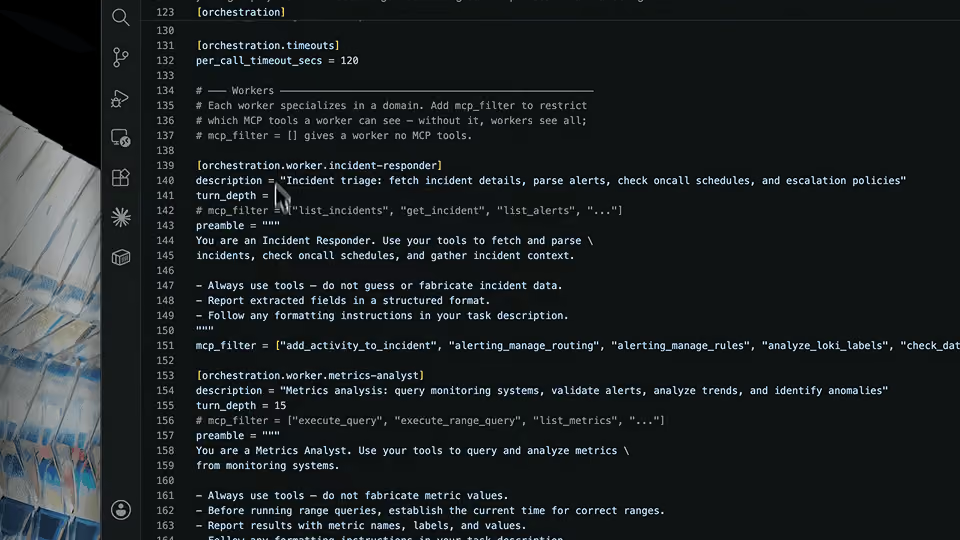
AURA runs in WSL and reaches the Windows host through a Windows Server MCP server cloned from GitHub, with its host changed to 0.0.0.0 so it is bound against all IPs and reachable from the Linux side. The server is added from the AURA CLI as a custom entry over streamable HTTP, on the host IP at port 8080 and the path /mcp, with no auth header, then written to config.toml. The tool is allowed for all three workers: incident responder, log analyst, and metrics analyst.
Four questions follow, typed one at a time. Is the Minecraft server healthy, registered as an NSSM service in Windows Services. What are the drives, and the capacity and usage of each. What processes are running. What do CPU and memory look like. The services search finds the entry by name, the drive list includes volumes that are not currently mapped, and the machine comes back at 1.6 percent CPU and 18 percent memory.
AURA is built for Windows and hybrid infrastructure operators who need a running server's state without opening a console session on it. The demo is one machine, and the operator's own point is that the pattern is meant to repeat: each host becomes an entry, and the same questions reach every one of them.
Alongside the health answer, AURA returns a warning nobody asked for. The way the setup is running could be exposing highly privileged access to the system, and it says so unprompted while reporting that everything else is green. The operator says he will take that into account and correct it.
AURA reads and reports in this video. Every question is typed by the operator in a live session, there is no schedule and no alerting, and nothing on the host is changed. The privileged-access warning is surfaced, not fixed.
0:00 Why AURA is not Linux only
0:23 Cloning the Windows Server MCP and binding it to all IPs
1:07 Finding the WSL host IP
1:27 Adding the server over streamable HTTP
2:13 Allowing the tool for all three workers
2:45 Asking whether the Minecraft service is healthy
3:48 The service is found and the system is green
4:18 A warning about privileged access
4:43 Drive capacity and usage
5:31 Scaling the same setup to a server farm
5:47 Running processes
6:11 CPU and memory health
#AURA #Windows #AISRE
Transcript
Why AURA is not Linux only
0:00 Hello, this is Greg. Today I'll be showing you a demo of using AURA on Windows. AURA isn't just for Linux and Kubernetes environments, but it can also be used for Windows management and telemetry monitoring and alerting as well.
Cloning the Windows Server MCP and binding it to all IPs
0:23 So to show you this, I've already done a few of the steps for this demo. I cloned the Windows Server MCP from GitHub, and I changed the host to 0.0.0.0 so that it would be bound against all IPs so I could use it from WSL. So I've already done that, as you can see here, and we're going to use HTTP transport so we can get to it from WSL, and I'll go ahead and start the server. That's the MCP server that will interact with Windows and help us get this more information.
Finding the WSL host IP
1:07 Since I'm running AURA in WSL, I will need to find my IP that I'll be using to access the host here in Windows. So here's my IP that I'll be using for that. So we'll go ahead and run AURA.
Adding the server over streamable HTTP
1:27 And as you might have seen before, or know, we can add an MCP server via the CLI. So we're going to do that. We're going to choose five for custom. I'm going to call this Windows as the server name. It is streamable HTTP. The server URL is going to be the aforementioned IP, port 8080, /mcp. It does not need an auth header, so we'll leave the default as no. And as you can see, it did a quick connection and a connection test, and it succeeded. So we're going to go ahead and write that to the config.toml.
Allowing the tool for all three workers
2:13 And now it's asking us whether we want to allow this particular tool to be used in the different agents that we have set up. So I'm going to allow it for all three. So I'm just letting the default be the choice for incident-responder, log-analyst, and metrics-analyst. So now we've added it, we're going to go ahead and restart AURA so that it can be acknowledged.
Asking whether the Minecraft service is healthy
2:45 And the first thing I want to ask it, I have a Minecraft server that I run on this server, on this Windows server, and I want to see if it's running all right. It's running as an NSSM service in Windows Services.
It's listing all the services and trying to find the name of it. I named it Minecraft server, so it did find it with the services search of Minecraft. And now it's looking at that particular service to see if everything's running right.
The service is found and the system is green
3:48 So here it came back with the fact that it's running, that it's currently running. As you can see here, it went into the services and found the name of the server. You can see it is running in NSSM. And looked at also the health of the system to see how well everything else is running. And everything's green and ready to go.
A warning about privileged access
4:18 So it also did some inspection on the way that I have it set up, and does have some warnings on how it's running so that I could be exposing highly privileged access to my system. So a good acknowledgement that I will take into account and correct.
Drive capacity and usage
4:43 I'm going to do one more demo here. Oftentimes, space is an issue on servers, so I'm going to ask it to show all my available drives and the capacity and usage of each drive.
So it gave an exhaustive list of the different drives that I have and the availability, including ones that aren't necessarily mapped right now, just in case there's something wrong there.
Scaling the same setup to a server farm
5:31 This can be extremely useful, as I could have a server farm of many, many servers, and all I need to do is set them up as tools in AURA, and I can investigate each one of them.
Running processes
5:47 Finally, I'm going to ask it to show me a list of processes that are running.
CPU and memory health
6:11 Finally, I'm going to take a look at the CPU and memory health of this server as well. And it's showing as running nominally, utilization of only 1.6% on the CPU, and a small amount of memory in use as well. Here we go, 18%. So we're looking pretty good. Server's running great. You can keep mining those diamonds in Minecraft. Thanks.
More videos