Homelab AI SRE Agent: Debug Docker Container Permissions
A root cause is not a fix. AURA keeps working the problem, taking what you find on the host and coming back with the user ID mismatch behind the failure.
- Learn more about AURA → https://www.mezmo.com/aura
- Get started today → https://github.com/mezmo/aura
- Get deployment help→ https://www.mezmo.com/contact
What follows a root cause is normally manual: check the mount, compare ownership on the host against the user inside the container, and get it wrong at least once before it lands.
The interesting part is what AURA does not know. It is running the baseline config from the first homelab video, with a Grafana MCP server added and an incident response worker removed, so it has no idea the stack runs on Docker Compose and no idea what the containers are called. Its first suggestions are generic Docker steps, one of which cannot run at all because the container is restarting. Closing that gap means supplying the facts by hand: the volume is mounted read-write, the host directory is 775 and owned by apps, and exec into the container is not available.
From there AURA is working on general knowledge, the same as any other LLM. The difference is that it is carrying the entire investigation, so the answer lands on the specific mismatch, a container running as govee against a host directory owned by apps, and offers two ways to resolve it rather than a list of things to try. Nothing is remediated on camera.
That gap is also the argument for building the config out. Every fact supplied by hand here is a data source the agent could have reached on its own.
AURA is built for SREs and homelab operators who need the follow-up questions answered with their environment in view, not just the first diagnosis.
Chapters:
0:00 What the first homelab video set up
1:01 How the homelab is instrumented
1:43 The root cause AURA returns
2:38 Asking for guidance on filesystem permissions
3:17 Where a default config leaves the agent guessing
4:00 Checking the mount, the host path, and the directory
5:24 Feeding the findings back to AURA
5:54 Checking what user the container runs as
6:37 Where AURA stops differing from any other LLM
6:56 Root cause: container user versus volume owner
7:16 What comes next in the series
#RootCauseAnalysis #SRE #Docker
Transcript
What the first homelab video set up
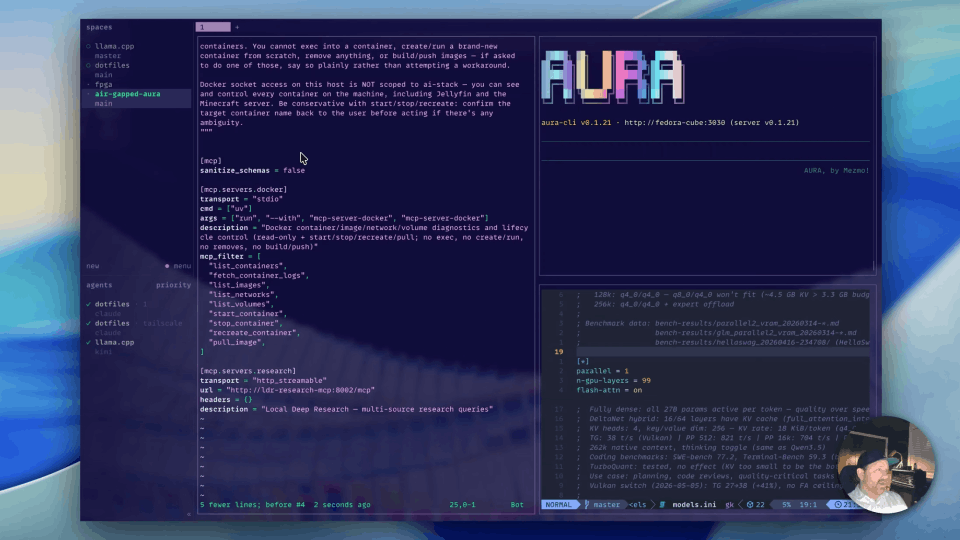
0:00 All right, so this is a follow-up video to the first video of the homelab series. In the first one we built a baseline config.toml for AURA and ran it locally on our laptop. The only thing we modified from aura init was that we added the Grafana MCP server, and we took out one of the workers related to incident response.
What we did in the last video is we used AURA to get a root cause on an issue with some addressable Govee lights that our Home Assistant can no longer control. That's a pretty standard issue, pretty typical, where Home Assistant worked one day and then it didn't the next.
How the homelab is instrumented
1:01 A couple of months ago I asked Claude to add a bunch of logs and metrics and traces to all of my services, and then I asked pretty much the same for operating system logs as well as the control plane. I use Docker Compose here, and everything goes to one OpenTelemetry Collector, and that's connected to Loki and Prometheus and Tempo, and then I put Grafana in front of all that.
That's how I can ask a very basic question to AURA, which has no prior knowledge of my environment, and I get a very useful response.
The root cause AURA returns
1:43 We got the same answer as before, where our Govee lights are uncontrollable because the bridge is crash looping and never comes up. It was able to identify an error log where the SQLite database couldn't be written to because it's in a read-only mode.
So we've landed on this file I/O failure, and a little bit of timeline information. A lot of extra things were checked too. You can see Home Assistant was healthy, and metrics look like CPU and memory are fairly healthy. So AURA is pretty sure that our next step is to address that read-only database, which is what I would do as a human.
Asking for guidance on filesystem permissions
2:38 It's giving us some suggestions, checking on mounts and things like that, but it's an AI, so I can just ask for some additional guidance on this: basically, help me check the permissions on the file system.
That's a pretty easy answer. We didn't have to make any tool calls here. It's going to walk me through finding the container, doing a docker inspect on the mount, and then checking permissions inside the container, which I can't really do because it's restarting.
Where a default config leaves the agent guessing
3:17 It doesn't know that it's in Docker Compose, and so that's why it's giving me that kind of guidance. Let's check the mounts on the container and see what that looks like. Now, it also doesn't know container names, because we haven't given it any information about how to find that.
When you're running AURA from a very default basic config, be aware that some of this work you have to do on your own. As you iterate and use AURA more, you end up building your configuration and connecting to more data sources, so AURA doesn't have to guess on certain things.
Checking the mount, the host path, and the directory
4:00 So in this case, we can see here's our mount, and we can see that it's read-write. In that case I know that it's read-write. Now it's also bringing up users that the process is running as, and then checking the host side mount. Let's double check that the path on the file system looks okay.
Now it's getting into fixing. We don't really want to take care of that yet, so let's go to the file system itself. That's /home/apps/ha/govee2mqtt.
I can see here the directory is 775 and owned by apps, apps. And we know that the mount is read-write.
Feeding the findings back to AURA
5:24 So I'm going to give it this information. I said the volume is mounted RW, and the directory on the host is 775. I gave it information about the owner, asked what else I should look for, and told it I can't exec into the container.
The first thing it says is to check permissions on the files in the data directory, but I know those look okay.
Checking what user the container runs as
5:54 So we're going to move on to the second recommendation, which is to check what user the container process is run as, and that to me sounds like a good next step. I'm just going to run this command on my homelab instance.
Let's just modify that, and sure enough my container runs as a different user than the owner of the volume that's on the host. That sounds like a pretty big red flag to me, so I'm just going to skip the rest of these steps and say: what's the best way to resolve this?
Where AURA stops differing from any other LLM
6:37 At this point AURA is not acting any different than any other LLM. We're using general knowledge now, except for the fact that it has the entire context of our investigation, which gives us very, very specific answers.
Root cause: container user versus volume owner
6:56 So you can see here, root cause: the container runs as govee, and the host directory is owned by apps. And this is nice, we have a couple of options on resolving this. We can either change the owner of the data volume on the host, or override the user on the Compose service.
What comes next in the series
7:16 So we're going to wrap here. We're not going to remediate this. The next demo we're going to do is going to involve giving AURA some basic information about the environment, and we're going to see how that changes the investigation process and see what improves.
And then after that we'll connect AURA to GitHub so we can use our source code as a source of truth and look at what changes. And maybe play with human-in-the-loop, see about having AURA generate a PR. So stay tuned, that one's going to be pretty interesting. And thanks for watching.
More videos