Use GitHub as a runbook database for AI SRE agents
Paged for a CrashLoopBackOff, a default agent answers like any chatbot. Point AURA at your runbook repo and the guidance comes from your own team.
- Learn more about AURA → https://www.mezmo.com/aura
- Get started today → https://github.com/mezmo/aura
- Get deployment help → https://www.mezmo.com/contact
A walkthrough of pointing AURA at a GitHub repository of runbooks so it
answers incidents with your team's procedures instead of generic LLM
guidance. Covers creating a fine-grained GitHub token scoped to one repo,
placing it in the .env file, and the config changes that add a
runbook-engineer worker: sources of truth, routing rules, the official
GitHub MCP server, per-worker tool filtering, a worker-specific system
prompt, and a cheaper model for the retrieval work. The same
CrashLoopBackOff prompt is run against the default config and the runbook
config so the difference is visible side by side, then AURA opens a pull
request adding an initial triage step to the runbook it just read.
AURA is built for SREs and platform engineers who need incident guidance
grounded in their own runbooks without hand-maintaining a separate
knowledge base for the agent.
0:00 Runbook repo and the CrashLoopBackOff scenario
0:16 Creating a fine-grained GitHub token
0:53 Placing the token in the .env file
1:14 Baseline run with the default config
2:04 Runbook config: sources of truth and routing
2:50 Wiring the official GitHub MCP server
3:06 Scoping tools, system prompt, and model per worker
3:53 Same prompt with the runbook engineer enabled
4:45 Opening a pull request to update the runbook
#RunbookAutomation #AISREAgent #PlatformEngineering
Transcript
Runbook repo and the CrashLoopBackOff scenario
(0:00) Today we're going to teach AURA how to read runbooks from a GitHub repository. I've created this repo with four sample runbooks in it, specific to failure scenarios in our Kubernetes environment. Take note of this one for CrashLoopBackOff; we're going to use that later.
Creating a fine-grained GitHub token
(0:16) For AURA to be able to access GitHub, it needs a token. I've created a fine-grained access token that limits the scope of access for AURA to this one specific repository, and I've given it read/write access to both the contents and the ability to create pull requests.
That is needed if you want AURA to be able to make updates to a runbook based on interactions it has with you. If you don't want AURA to create pull requests, you can leave that permission off, and you can also drop the permissions on the contents to read only.
Placing the token in the .env file
(0:53) Once you save this, you'll get a token, and that token needs to be placed into a .env file. The structure is going to look something like this. I've redacted mine, but you'll place the token you received from GitHub right here, along with your OpenAI API key or preferred inference provider.
Baseline run with the default config
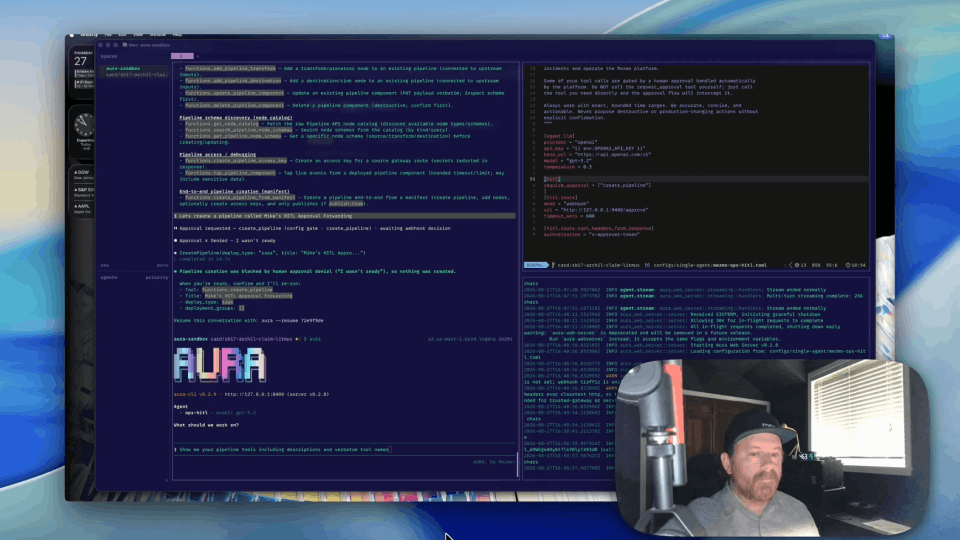
(1:14) I've run aura init and I'm starting AURA with just the generic config, to show what you get out of the box and what you'll need to modify to accomplish this work.
I'm going to paste in a prompt I've used to troubleshoot a real issue in our live environment: I'm being paged for an application that's in a CrashLoopBackOff state. Because we're using the default config, we don't have any workers relating to reading runbooks, so it's working as if we're asking ChatGPT or Gemini. It gives general guidance on troubleshooting, but nothing relating to my environment or my processes. It recommends investigating the pods and maybe looking at some logs, but again, nothing specific to my organization, my needs, or my team.
Runbook config: sources of truth and routing
(2:04) I've got another config file here, and this one gives AURA access to the GitHub runbook repo I just showed you.
We've added information on how to use the worker we're going to create, as well as routing: if a query comes in that looks like it needs access to runbooks, AURA knows how to route it to the appropriate worker.
We've added sources of truth, because we don't want it to just use general knowledge. We want it to use information about our environment, and we'd like it to focus first on our runbooks, because our team knows how to deal with the problems in our application. There's post-incident runbook guidance in here as well.
Wiring the official GitHub MCP server
(2:50) Then we get down to the actual MCP server. We're going to use the official GitHub MCP server with the token we created, which lives in our environment file.
Scoping tools, system prompt, and model per worker
(3:06) We've limited the MCP filter for the other workers in the config, because we don't want those workers to have access to our runbooks. They don't need it. They will eventually need their own tools for their own use cases.
When we get down to the worker for the runbook-engineer itself, you can see we filtered the list of tools to just what it needs from the GitHub MCP. We've also given it its own system prompt, specific to this worker alone. And lastly, we don't need an expensive model for this. All it's going to do is pull documentation out of a repository and then recommend some updates to it.
Same prompt with the runbook engineer enabled
(3:53) When I launch AURA again using the new configuration file, you'll see it has the runbook-engineer added. We're going to ask the same question again and see if the results are any better.
This might take a few minutes longer, because now we have interactions with MCP servers: it's going to reach out to GitHub, read the documentation, and provide some output.
And there we have it, a much more complete response. It tells us to go look at the pods, and we have instructions on how to check the rollout history.
Opening a pull request to update the runbook
(4:45) Now let's see if we can get it to actually improve the contents of this runbook by creating a pull request. You can see it's trying to open the PR in a new branch. We have a PR, so let's go see what it looks like.
There we have it. We asked AURA to add an initial triage step to check recent deploys, and here it is updating the runbook with that information.
With that, we now have an agent harness that will help us with self-improving documentation. I'll post the full config TOML and a write-up on mezmo.com.
More videos