What to Look for in a HIPAA-Compliant Log Management Tool

Ask about this page
Perplexity
Grok

Most modern log management solutions claim to be HIPAA-compliant, and indeed, most logging tools can be used in a HIPAA-compliant way—provided that you spend enough time configuring them to meet HIPAA rules.

That does not mean, however, that all logging solutions are created equal when it comes to HIPAA. The extent to which logging tools offer out-of-the-box support for HIPAA compliance varies widely depending on the specific logging features that the tools offer and how easy those features are to implement.

Here's a look at which log management features are most important for meeting HIPAA compliance rules.

HIPAA and Logging: A Brief Overview

Overall, HIPAA is a rather vague framework. When it comes to logging, however, HIPAA imposes several fairly specific requirements:

  • Organizations must monitor events that involve access or updates to Protected Health Information, or ePHI.
  • Organizations must have "audit controls" in place to "record and examine" activity on systems that store ePHI.
  • Organizations must "regularly review" records of activity on systems that contain ePHI.


These rules are spelled out in HIPAA sections 164.308(a)(5)(ii)(C), 164.312(b), and 164.308(a)(1)(ii)(D), respectively.

HIPAA doesn't specify that logs in particular have to be used to record and track the information described above. However, it's hard to imagine how else you would systematically record and audit these events without logs. For most organizations that work with ePHI, then, the ability to maintain logs that record ePHI access events, as well as enable audits of access to ePHI data and the systems that store it, is essential.

Making the Most of HIPAA Logs

You can create the HIPAA logs described above in any way. HIPAA is not specific about how the data has to be structured. However, when it comes to managing HIPAA log data, there are several specific considerations to bear in mind.

HIPAA Log Retention

Chief among them is log retention and log rotation. HIPAA generally requires that event, access, and audit data remain available for six years after it is generated. For that reason, it's important to be able to configure log management tools so that historic log data can be maintained for the HIPAA retention period.

Mezmo, formerly known as LogDNA, offers plans for different needs, both our Oak and HIPPA plans retain 30 days of searchable log data. For longer retention, Mezmo provides an archiving service that automatically exports older logs to your preferred cloud storage service. In addition, Mezmo recommends to request a Business Associate Agreement (BAA) from your preferred cloud storage provider and secure your storage bucket before enabling archives.  

HIPAA-Compliant Log Storage

The rules surrounding the storage of data that is subject to HIPAA rules are complicated. When it comes to logs—which generally shouldn't contain ePHI, but could—the simplest way to meet those requirements is to use a SaaS log management solution that stores logs on infrastructure that is certified for HIPAA compliance. That way, you can outsource your HIPAA storage challenges to your log management provider.

Of course, you may prefer to store log data on your own infrastructure if you are confident in your ability to meet HIPAA requirements yourself. You should thus look for a log management solution that offers the flexibility to run on any cloud as well as to use an SaaS model.

Business Associate Agreement

Likewise, look for a log management provider that will sign a Business Associate Agreement, or BAA, with you. Under HIPAA, a BAA is required if you work with a third-party organization that manages ePHI on your behalf. Because logs may contain ePHI (and even if they don't, they typically contain sensitive data related to systems that store ePHI, which in itself presents a potential security risk), having a BAA in place with your log management provider helps to reduce potential HIPAA compliance risks. It also formalizes the log management provider's guarantee to store and manage your log data in a HIPAA-compliant way.

Use Encryption

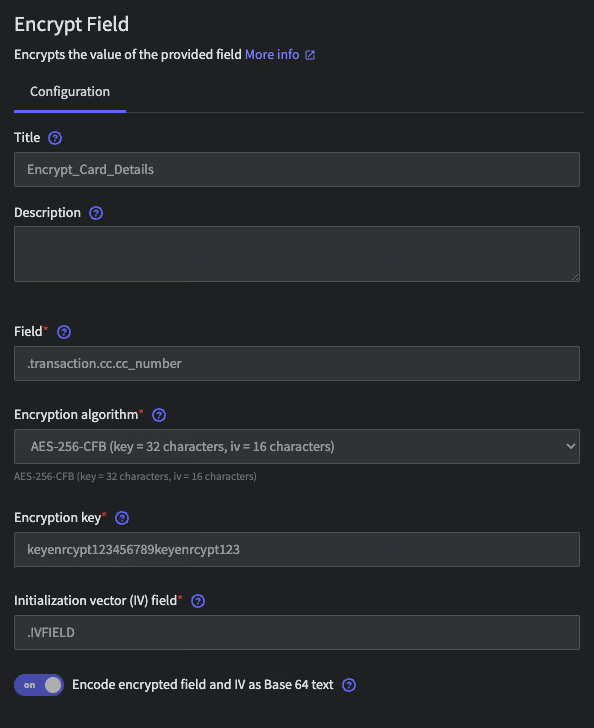
When sending logs to your log management provider, use HTTPS or TLS encryption techniques to encrypt your logs in transit, or else your logs will be sent in plain text, making them trivial to intercept by a malicious third party.

Encryption is enabled by default in the Mezmo agent and within official code libraries. Mezmo also encrypts your logs when storing them and only allows access to the web application over secure HTTPS. If you are archiving your logs, be sure to encrypt your storage bucket before enabling the archiving process.

Control Access to Log Data

Whether or not your logs contain ePHI, the data they store about your infrastructure could give attackers the information they need to gain unauthorized access to your systems and therefore to ePHI.

To mitigate this risk, your log management solution should allow you to control, in a granular way, who in your organization has access to logs. You shouldn't need to give all of your engineers unfettered access to all logs; instead, each engineer should be able to access logs only for the specific systems he, she, or they maintains.

Mezmo lets you set granular permissions using Role Based Access Control (RBAC). You can restrict each user’s ability to view, create, or modify Mezmo resources, as well as restrict their access to logs based on source or content.

Identify Logging Failures

Logs only help you meet HIPAA auditing requirements if the logs actually exist and are accurate. To guard against the risk that some HIPAA-relevant data is not logged properly due to an issue like a log agent failure or the exhaustion of log storage space, choose a log management tool that allows you to configure alerts that will notify you when something goes wrong in your logging routine. You don't want to wait for an audit to learn that you haven't actually logged all the data you need to meet HIPAA requirements due to a technical failure.

Conclusion

In short, there are lots of logging solutions available, and all of them can manage logs that store HIPAA-related data. But not all of them offer the rich set of features that you need for meeting HIPAA compliance requirements easily.

Log management tools that natively lack features for restricting access to log data, alerting you to logging failures, or storing logs in a HIPAA-compliant way will require you to implement workarounds or custom extensions to meet HIPAA rules. Likewise, if your log management provider can't sign a BAA or guarantee compliance of its own systems with HIPAA requirements, you face an uphill battle in using logs to reinforce your HIPAA compliance.

With Mezmo, you can avoid these pitfalls and stay HIPAA-compliant. Mezmo offers sophisticated features for securing access to logs and monitoring logging failures. In addition, Mezmo itself is certified by an external assessor to meet HIPAA requirements, and Mezmo will sign BAAs with customers.

To learn more about how Mezmo can simplify HIPAA compliance for your organization, contact the Mezmo team.


Most modern log management solutions claim to be HIPAA-compliant, and indeed, most logging tools can be used in a HIPAA-compliant way—provided that you spend enough time configuring them to meet HIPAA rules.

Table of contents

    More articles

    How to Reduce Log Volume Without Losing Visibility
    How to Reduce Log Volume Without Losing Visibility
    Log Management
    What Is Log Rehydration? Understanding the Process and Benefits
    What Is Log Rehydration? Understanding the Process and Benefits
    Log Management
    Log Metrics: What are they? How can they be used? What insights can be garnered at scale?
    Log Metrics: What are they? How can they be used? What insights can be garnered at scale?
    Log Management
    What is MultiCloud Monitoring & Management?
    What is MultiCloud Monitoring & Management?
    Log Management
    Live Tail: What It Is, Why It’s Useful, How To Use It
    Live Tail: What It Is, Why It’s Useful, How To Use It
    Log Management
    Log Data: What it is and why it matters
    Log Data: What it is and why it matters
    Log Management
    Istio Logging 101
    Istio Logging 101
    Log Management
    How to Use JSON Logs
    How to Use JSON Logs
    Log Management
    Understanding and Leveraging AWS Cloudwatch Logs
    Understanding and Leveraging AWS Cloudwatch Logs
    Log Management
    What Is a Tail Log?
    What Is a Tail Log?
    Log Management
    How to Use S3 Access Logs
    How to Use S3 Access Logs
    Log Management
    Benefits of Data Logging
    Benefits of Data Logging
    Log Management
    What is Real-time Log Monitoring?
    What is Real-time Log Monitoring?
    Log Management
    Managing Digital Compliance During Digital Transformation
    Managing Digital Compliance During Digital Transformation
    Log Management
    A Comprehensive Guide to Kubernetes Monitoring Tools
    A Comprehensive Guide to Kubernetes Monitoring Tools
    Log Management
    The Role of Infrastructure Monitoring in DevOps
    The Role of Infrastructure Monitoring in DevOps
    Log Management
    5 Practical Ways to Build a Secure CI/CD Pipeline
    5 Practical Ways to Build a Secure CI/CD Pipeline
    Log Management
    Why and How to Analyze Deployment Health Through CI/CD Logs
    Why and How to Analyze Deployment Health Through CI/CD Logs
    Log Management
    What is Application Lifecycle Management
    What is Application Lifecycle Management
    Log Management
    What Is A Real-Time Dashboard?
    What Is A Real-Time Dashboard?
    Log Management
    Log Indexing and Rotation for Optimized Archival
    Log Indexing and Rotation for Optimized Archival
    Log Management
    What is Log Rotation? How Does it Work?
    What is Log Rotation? How Does it Work?
    Log Management
    Logging for Application Security
    Logging for Application Security
    Log Management
    How Do You Manage Logs?
    How Do You Manage Logs?
    Log Management
    How Custom Parsing Can Boost Developer Productivity
    How Custom Parsing Can Boost Developer Productivity
    Log Management
    7 Best Practices for Log Management and Analytics
    7 Best Practices for Log Management and Analytics
    Log Management
    Enhancing Communication Across Your Teams With Logging
    Enhancing Communication Across Your Teams With Logging
    Log Management
    Which Log Files Should Users Onboard to Build an Observability Platform?
    Which Log Files Should Users Onboard to Build an Observability Platform?
    Log Management
    What Information Does Log Aggregation Capture?
    What Information Does Log Aggregation Capture?
    Log Management
    The Key Benefits of Log Data
    The Key Benefits of Log Data
    Log Management
    Planning Your Log Collection
    Planning Your Log Collection
    Log Management
    Capturing the Most Critical Information Within Your Logs
    Capturing the Most Critical Information Within Your Logs
    Log Management
    The Importance of Data Privacy and Confidentiality for Log Management
    The Importance of Data Privacy and Confidentiality for Log Management
    Log Management
    SOC 2 and its Benefits
    SOC 2 and its Benefits
    Log Management
    Logging for Microservices
    Logging for Microservices
    Log Management
    System Logging Best Practices
    System Logging Best Practices
    Log Management
    Why HIPAA and Compliance Matters to Logging
    Why HIPAA and Compliance Matters to Logging
    Log Management
    Application Security and Compliance through Logging
    Application Security and Compliance through Logging
    Log Management
    Log Management Compliance for Saas Applications
    Log Management Compliance for Saas Applications
    Log Management
    What is Log Aggregation? Log Aggregation Explained
    What is Log Aggregation? Log Aggregation Explained
    Log Management
    What is Log Analysis?
    What is Log Analysis?
    Log Management
    What is Structured Logging?
    What is Structured Logging?
    Log Management
    Why Is Log Management Important?
    Why Is Log Management Important?
    Log Management
    Top Use Cases for Log Analysis
    Top Use Cases for Log Analysis
    Log Management